Structured Notes for ChatGPT Study Mode Explained
A study-first outline of the video: what Study Mode changes, where it helps, and how to keep the session focused on learning rather than answer collection.
- Start with the material and the exact concept the student is trying to learn
- Use guided questions to expose gaps before asking for the full explanation
- End each useful exchange by saving one review question or flashcard cue
Key takeaways
- Study Mode is most useful when it makes the learner think before it explains. The page keeps the focus on questions, attempts, feedback, and review.
- The risky use case is asking for polished answers too early. A better workflow starts with a self-explanation or recall attempt.
- The strongest output is not a summary by itself; it is a repeatable loop: learning goal, guided question, learner answer, feedback, and next review card.
Mind Map - the tutor loop behind Study Mode
The map centers on a learning loop: question, attempt, hint, feedback, and next review. It is designed to show when the AI should ask, explain, or challenge.
- Separates learner effort from AI feedback so the session does not become passive
- Connects questions, mistakes, explanations, and follow-up cards as one review cycle
- Keeps the original video available when the workflow needs more context
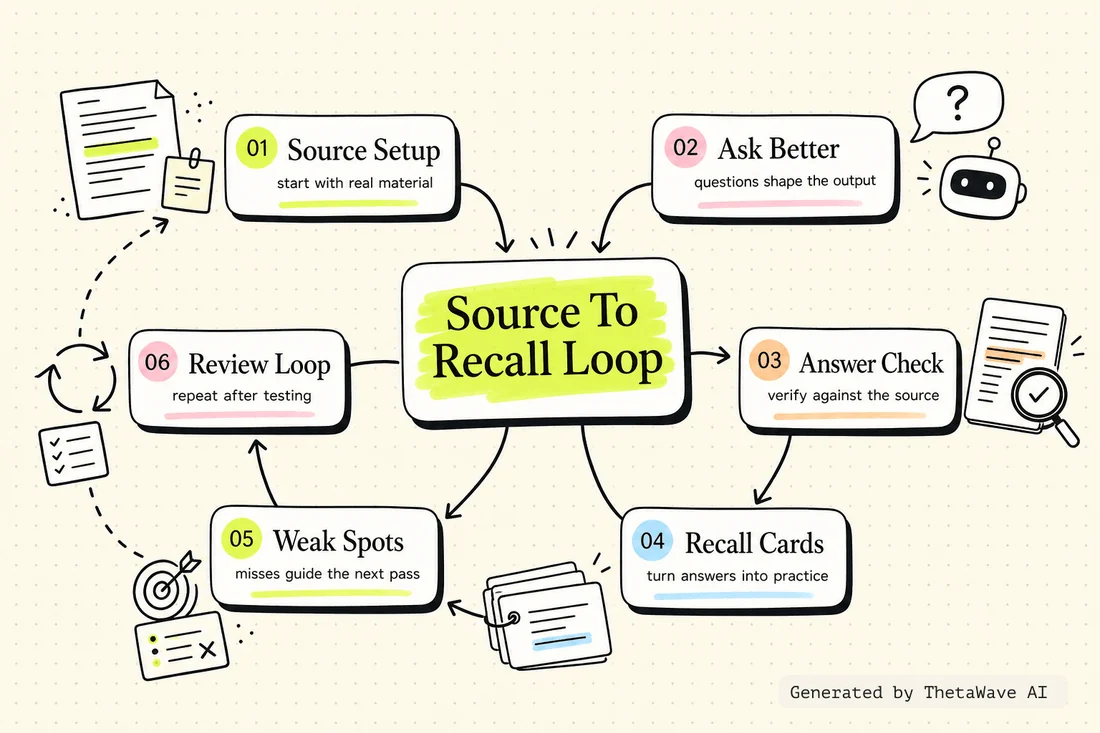
Quiz - spot learning use versus shortcut use
This self-check asks whether Study Mode is creating recall, feedback, and repair, or merely producing nicer answers faster.
- Tests when to ask for a hint instead of a full answer
- Checks whether a question asks the learner to retrieve before reviewing
- Turns the common shortcut mistake into an active recall decision
“Letting ChatGPT produce the final answer before the learner has made an attempt” — is this a recommended approach?
Flashcards - save the misses from each AI tutoring session
Flashcards are framed around the parts the learner got wrong: definitions, reasoning steps, examples, and follow-up questions from the Study Mode exchange.
- One card for one missed concept or reasoning step
- Back side explains the repair, not just the answer
- Useful after a Study Mode session because the card comes from a real gap
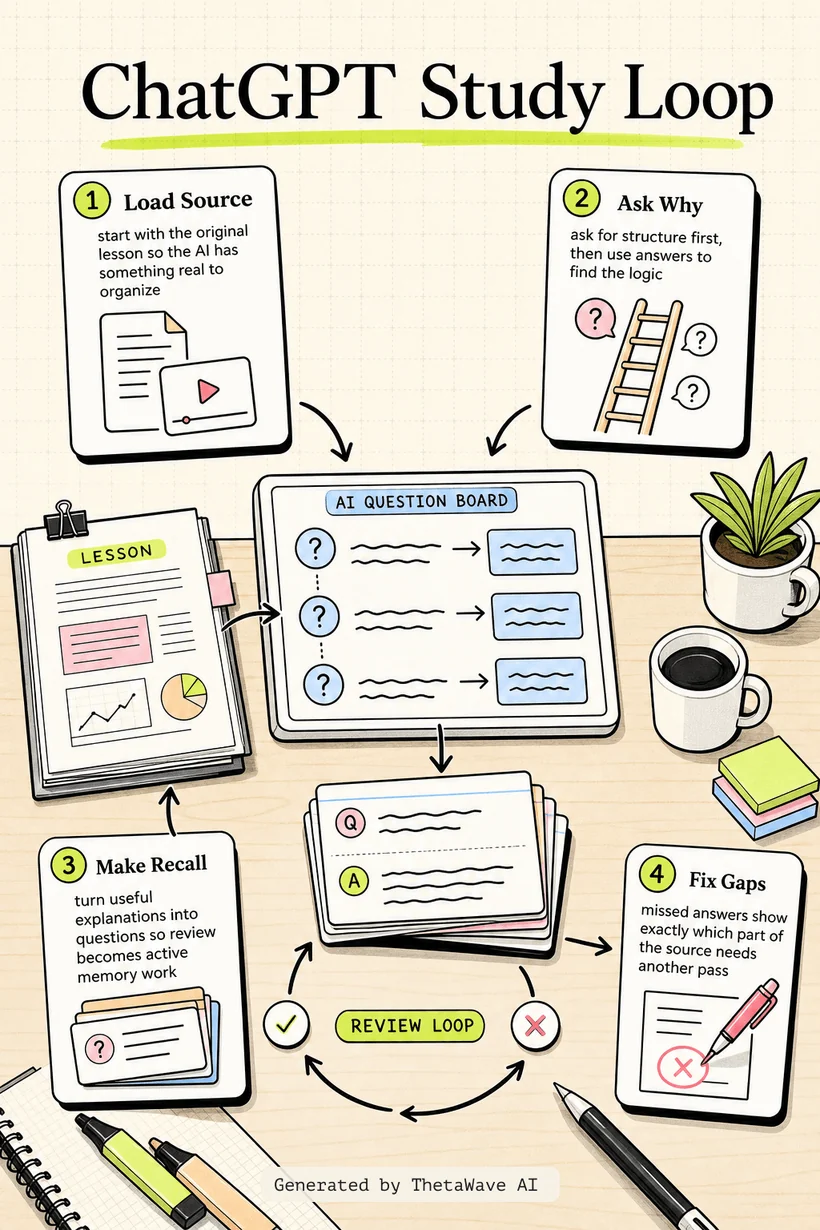
Infographic - turn a Study Mode session into a review cycle
The visual explainer shows a simple cycle: pick the concept, answer first, get a hint, repair the gap, then review the saved question later.
- Makes the difference between asking for answers and practicing learning visible
- Shows where feedback becomes a card, quiz item, or next study question
- Keeps the learner's effort at the center of the workflow
Podcast - using ChatGPT without skipping the thinking
A two-host recap explains the practical tension in the video: AI can tutor well, but only if the learner still does the retrieval and correction work.
- Walks through the question pattern that keeps the student active
- Contrasts answer-first requests with feedback-first questions
- Ends with a review habit that can be repeated after any Study Mode session
ChatGPT Study Mode Explained
Host 1: This video is useful because it treats ChatGPT Study Mode as a tutoring workflow, not just another place to ask for answers.
Host 2: The key move is making the learner try first. If the model explains too early, the session can feel productive without building recall.
More notes for AI Study Tools
Same study format, different source. Compare how ThetaWave turns related material into notes, maps, quizzes, flashcards, and visuals.

How to Learn FASTER With AI - Google NotebookLM
Justin Sung · 214K views · 44m
Shows how students can turn source material into summaries, explanations, and review steps.
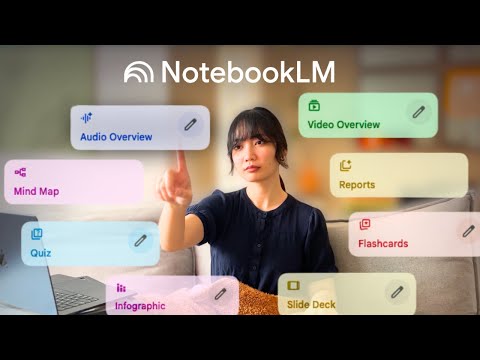
how I’d use NotebookLM for studying to learn ANY subject
Penolopie · 139K views · 6m
A student-facing NotebookLM workflow that shows how one tool can support learning across subjects.

I Used ChatGPT for 7 Days to Study – It Actually Worked!
Aakashh B · 80K views · 12m
A concrete AI studying experiment that can be turned into workflow notes and practice reflections.

How to Make Anki Flashcards 10x Faster with AI (for free!)
Ray Amjad · 325K views · 10m
A practical AI flashcard workflow that helps students compare card creation speed with active recall quality.
Frequently Asked Questions
Everything you need to know about chatgpt study mode explained.
Turn any YouTube video into notes like this.
Paste a YouTube link and get source-based notes, a mind map, quiz, flashcards, infographic, and podcast preview in minutes.