Structured Notes for How to Make Anki Flashcards 10x Faster with AI
A practical outline of the video's workflow: generate draft cards quickly, then protect learning quality through cleanup and active recall checks.
- Start from a real source instead of inventing standalone cards
- Use AI for first drafts, not final decks
- Edit until each card asks for one testable idea
Key takeaways
- AI can speed up Anki card creation, but the learning value depends on editing. A faster bad deck still creates bad review.
- The page focuses on the card-quality checks in the workflow: one idea, clear question, useful answer, and source meaning preserved.
- Bulk importing AI cards is the main risk. The safer pattern is draft, split, delete, rewrite, then review.
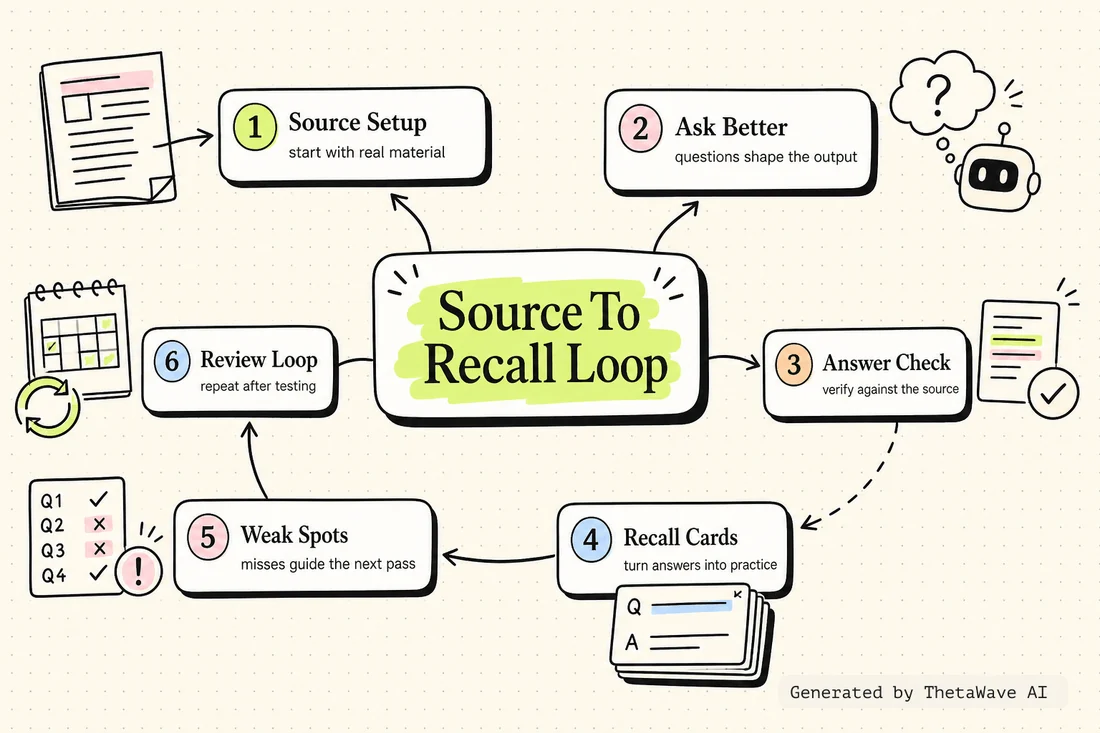
Mind Map - draft, clean, review, repair
The map shows the full card workflow from source to draft, cleanup, Anki deck, recall result, and deck repair.
- Separates speed from quality control
- Shows where the learner must still make decisions
- Connects review misses back to deck improvement
Quiz - decide whether a card is worth keeping
This card-quality check catches vague cards, overloaded answers, trivia, and cards that do not support active recall.
- Tests the one-idea-per-card rule
- Checks whether the answer is specific enough to review
- Uses poor cards as examples of what to rewrite or delete
“Importing a large AI-generated deck without editing” — is this a recommended approach?
Flashcards - card rules for better Anki decks
The cards are about the workflow itself: how to draft, split, clean, and keep only the cards that make review sharper.
- One card for each quality rule
- Back side shows how to apply the rule during cleanup
- Useful before importing any AI-generated deck
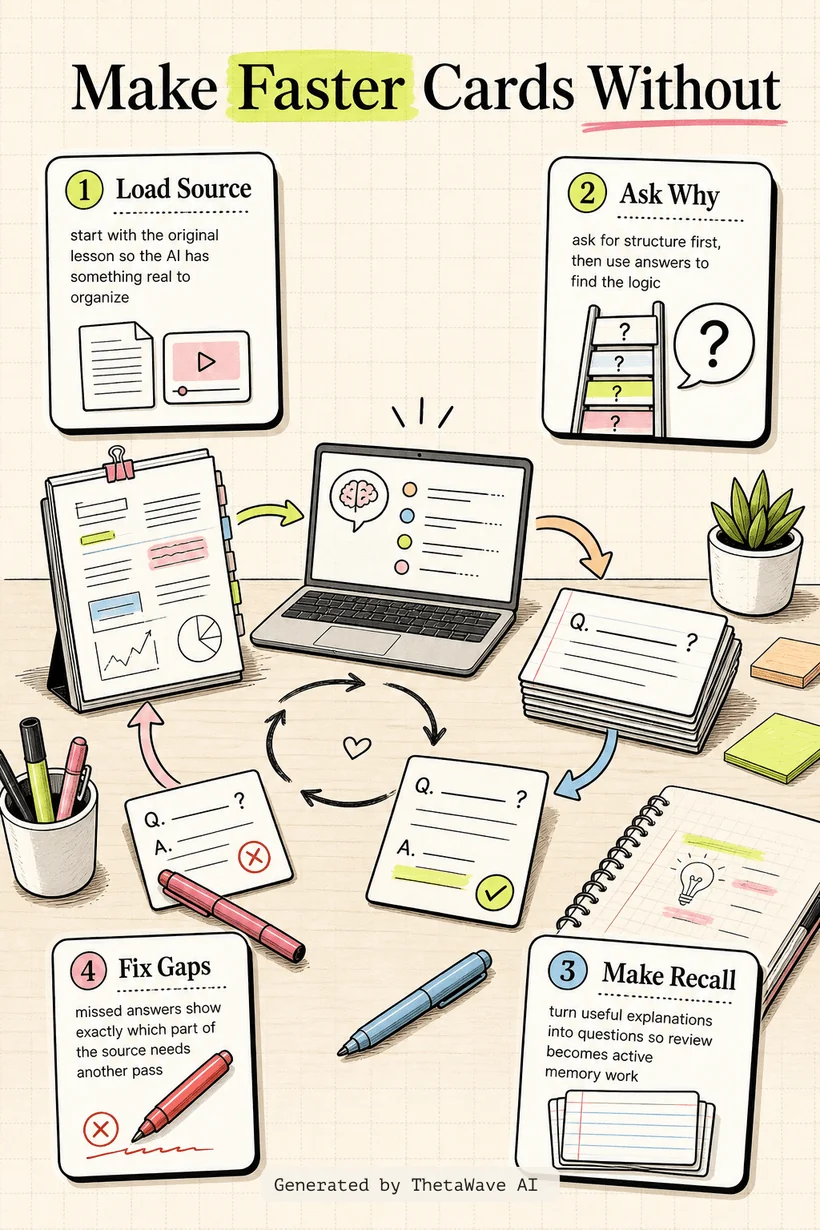
Infographic - fast Anki cards without a junk deck
The visual explainer shows the safe flow: source, AI draft, human cleanup, Anki import, review misses, and deck repair.
- Makes the quality gate visible before import
- Shows why fewer clean cards beat many vague cards
- Connects faster creation with active recall discipline
Podcast - why fast flashcards still need cleanup
A two-host recap explains the difference between making cards quickly and making cards that actually help memory.
- Explains why bulk AI decks can create review drag
- Walks through the cleanup rules
- Ends with a simple pre-import checklist
How to Make Anki Flashcards 10x Faster with AI (for free!)
Host 1: This Anki video is about speed, but the important question is what happens to card quality.
Host 2: AI can draft quickly, but every card still needs to ask one clear thing and answer it cleanly.
More notes for AI Study Tools
Same study format, different source. Compare how ThetaWave turns related material into notes, maps, quizzes, flashcards, and visuals.

ChatGPT Study Mode Explained
Justin Sung · 276K views · 21m
Explains how AI study mode changes the way students ask questions, practice recall, and review material.

How to Learn FASTER With AI - Google NotebookLM
Justin Sung · 214K views · 44m
Shows how students can turn source material into summaries, explanations, and review steps.

how I’d use NotebookLM for studying to learn ANY subject
Penolopie · 139K views · 6m
A student-facing NotebookLM workflow that shows how one tool can support learning across subjects.

I Used ChatGPT for 7 Days to Study – It Actually Worked!
Aakashh B · 80K views · 12m
A concrete AI studying experiment that can be turned into workflow notes and practice reflections.
Frequently Asked Questions
Everything you need to know about how to make anki flashcards 10x faster with ai (for free!).
Turn any YouTube video into notes like this.
Paste a YouTube link and get source-based notes, a mind map, quiz, flashcards, infographic, and podcast preview in minutes.