Structured Notes for Gemini + NotebookLM + Anki Workflow
A workflow outline that separates the roles of each tool so the stack becomes a study routine instead of busywork.
- Use the first AI tool to clarify the topic
- Use NotebookLM to keep source material organized
- Move only clean, testable cards into Anki for repetition
Key takeaways
- The video is useful because it shows an AI study stack rather than a single-tool tutorial.
- The safest workflow assigns each tool a job: explanation, source organization, card cleanup, or spaced review.
- The main risk is tool hopping. More tools do not help if the learner does not define the handoff between them.
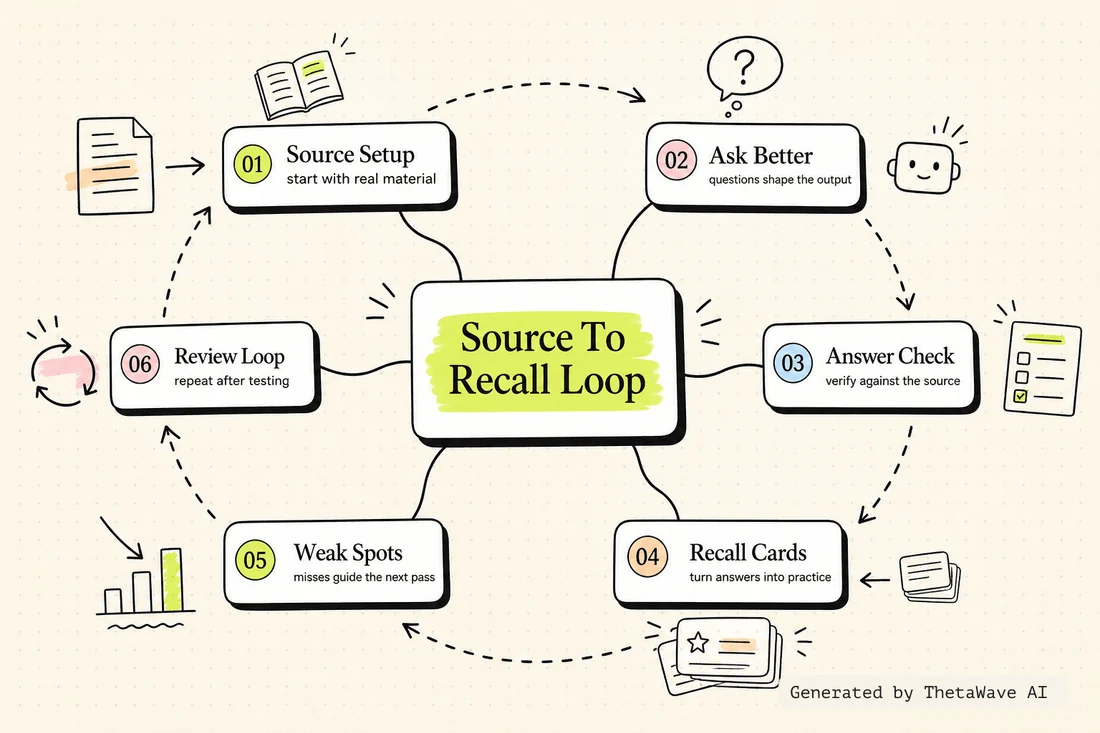
Mind Map - explanation, source, cards, recall
The map centers on the handoff between Gemini, NotebookLM, Anki, source notes, and the recall loop.
- Shows each tool's study job
- Marks where source checking happens
- Connects card creation to long-term review
Quiz - choose the right tool for the study job
This tool-role check asks which tool should handle explanation, source review, card cleanup, or spaced repetition.
- Tests tool-role decisions
- Checks the handoff from explanation to source to recall
- Flags busywork when a tool is added without a job
“Opening multiple AI tools without deciding what each one is supposed to do” — is this a recommended approach?
Flashcards - toolchain roles and handoff rules
Cards help the learner remember what each tool should do and what should happen before moving to the next step.
- One card for each role in the workflow
- Back side explains the handoff rule
- Useful when the study stack starts to feel messy
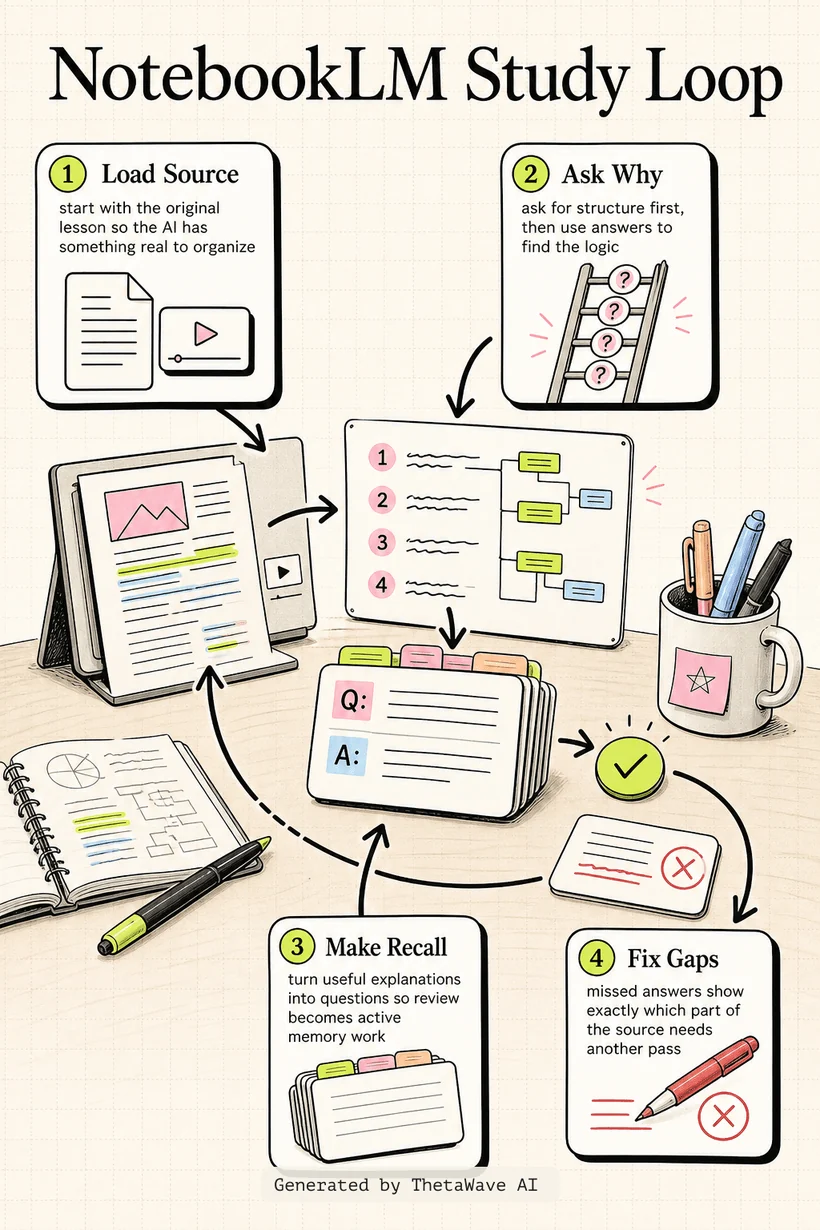
Infographic - a clean AI study stack
The visual explainer shows a left-to-right stack: clarify, source-check, convert, review, and repair.
- Makes the toolchain easy to scan
- Shows why Anki belongs at the recall stage
- Keeps the workflow from becoming a pile of disconnected tools
Podcast - keeping a multi-tool workflow from becoming busywork
A two-host recap explains how to use multiple AI tools only when each one has a clear job in the learning process.
- Explains the difference between workflow and tool hopping
- Walks through the handoff from explanation to source to recall
- Ends with a simple rule for adding or removing tools
Gemini + NotebookLM + Anki Workflow
Host 1: This workflow is interesting because it is not just one AI tool. It is a stack.
Host 2: And a stack only works if each tool has a job. Otherwise it becomes tool hopping.
More notes for AI Study Tools
Same study format, different source. Compare how ThetaWave turns related material into notes, maps, quizzes, flashcards, and visuals.

ChatGPT Study Mode Explained
Justin Sung · 276K views · 21m
Explains how AI study mode changes the way students ask questions, practice recall, and review material.

How to Learn FASTER With AI - Google NotebookLM
Justin Sung · 214K views · 44m
Shows how students can turn source material into summaries, explanations, and review steps.
how I’d use NotebookLM for studying to learn ANY subject
Penolopie · 139K views · 6m
A student-facing NotebookLM workflow that shows how one tool can support learning across subjects.

I Used ChatGPT for 7 Days to Study – It Actually Worked!
Aakashh B · 80K views · 12m
A concrete AI studying experiment that can be turned into workflow notes and practice reflections.
Frequently Asked Questions
Everything you need to know about gemini + notebooklm + anki workflow.
Turn any YouTube video into notes like this.
Paste a YouTube link and get source-based notes, a mind map, quiz, flashcards, infographic, and podcast preview in minutes.