Structured Notes for How To Master NotebookLM in 2026
A course-style outline that turns setup, source handling, questions, and study outputs into a practical NotebookLM routine.
- Separate setup steps from repeatable study steps
- Connect each feature to a job: organize, ask, explain, or review
- Keep only the features that improve a real study workflow
Key takeaways
- The video works as a course because it is long enough to cover setup and repeated use, not only a single feature.
- The page turns features into study jobs: organize sources, ask questions, build guides, and review the material.
- The most useful habit is deciding which NotebookLM feature belongs in a weekly routine instead of trying everything once.
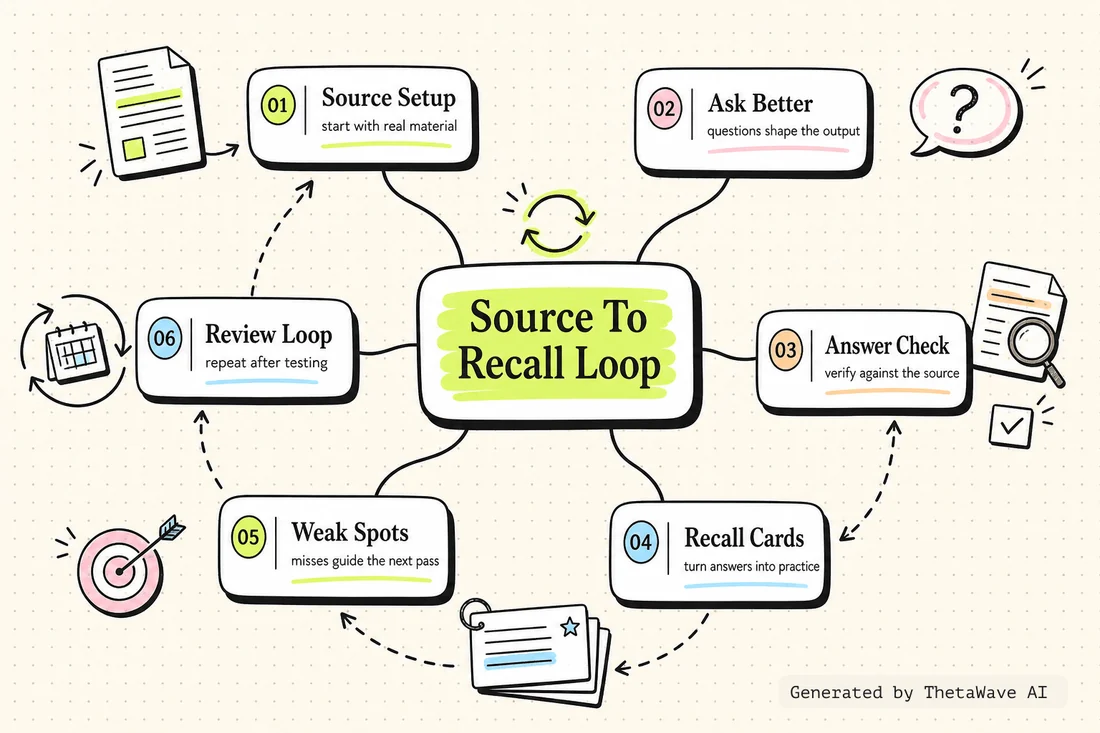
Mind Map - NotebookLM setup to weekly review
The map connects setup, source library, guides, questions, audio or study outputs, and the final review routine.
- Shows the course as a system rather than a feature list
- Links each feature to a study use
- Keeps weekly repetition visible after first-time setup
Quiz - match each feature to a study job
This feature-role check asks when a NotebookLM feature supports understanding, organization, or review.
- Tests feature-to-job decisions
- Checks whether source handling comes before review
- Uses feature overload as the common mistake to fix
“Learning every feature without tying it to a real study task” — is this a recommended approach?
Flashcards - NotebookLM feature roles
Cards turn the course into review questions for remembering what each feature is for and when to use it.
- One card for each useful feature role
- Back side names the study task it supports
- Useful when building a weekly NotebookLM habit
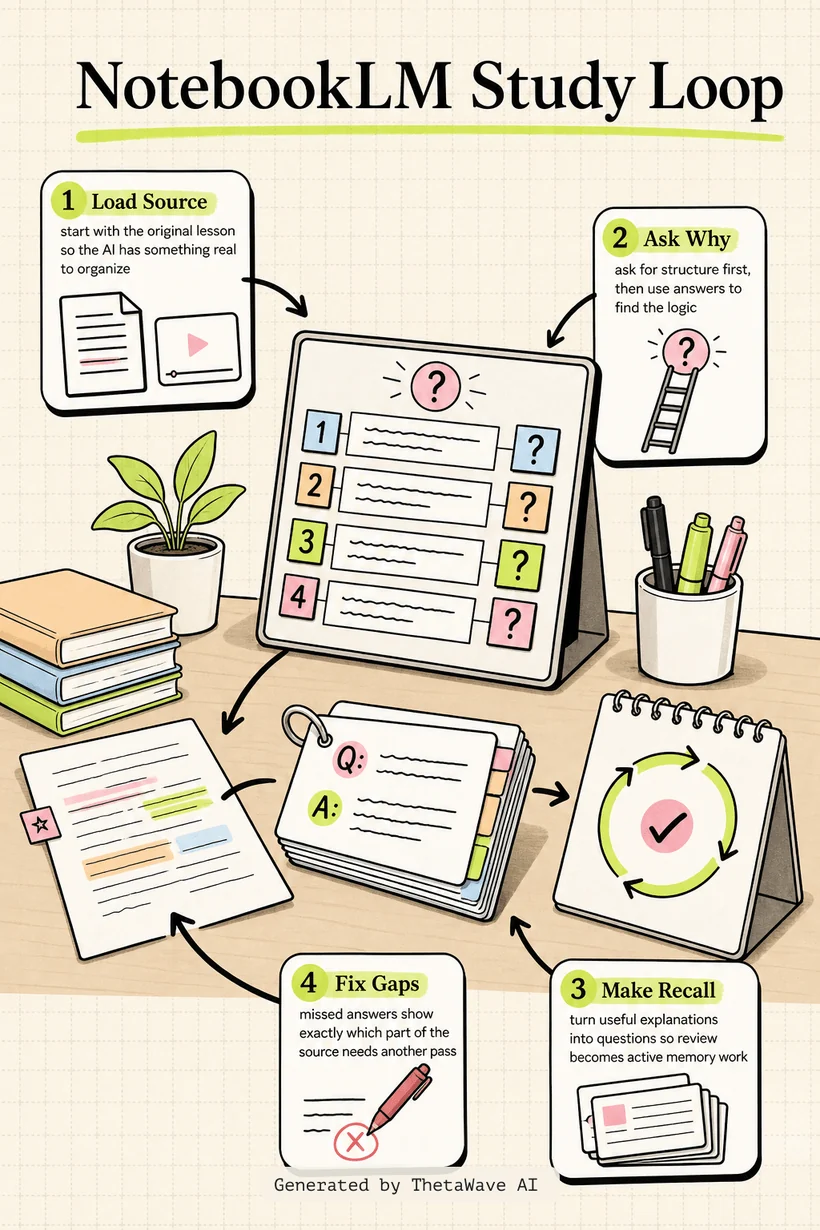
Infographic - from course to study routine
The visual guide shows the course as a weekly route: set up NotebookLM, add sources, ask better questions, build study outputs, and review what still feels weak.
- Shows the difference between learning the tool and using it to study
- Turns a long tutorial into a scan-friendly routine
- Keeps review as the final purpose of the setup
Podcast - mastering NotebookLM by choosing repeatable uses
A two-host recap explains how to turn a feature course into a practical study system students can reuse.
- Explains why feature lists need study jobs
- Walks through setup, source handling, and review
- Ends with a rule for keeping only useful workflow steps
How To Master NotebookLM in 2026 (Free Course)
Host 1: A long NotebookLM course can easily become a feature list, so this page turns it into a study routine.
Host 2: The useful question is: which feature helps organize sources, ask better questions, or review later?
More notes for AI Study Tools
Same study format, different source. Compare how ThetaWave turns related material into notes, maps, quizzes, flashcards, and visuals.
ChatGPT Study Mode Explained
Justin Sung · 276K views · 21m
Explains how AI study mode changes the way students ask questions, practice recall, and review material.

How to Learn FASTER With AI - Google NotebookLM
Justin Sung · 214K views · 44m
Shows how students can turn source material into summaries, explanations, and review steps.
how I’d use NotebookLM for studying to learn ANY subject
Penolopie · 139K views · 6m
A student-facing NotebookLM workflow that shows how one tool can support learning across subjects.

I Used ChatGPT for 7 Days to Study – It Actually Worked!
Aakashh B · 80K views · 12m
A concrete AI studying experiment that can be turned into workflow notes and practice reflections.
Frequently Asked Questions
Everything you need to know about how to master notebooklm in 2026 (free course).
Turn any YouTube video into notes like this.
Paste a YouTube link and get source-based notes, a mind map, quiz, flashcards, infographic, and podcast preview in minutes.